
A web app that builds refills for ring-binder planners and hands them over as a PDF ready to print on A4. Available in Korean, Japanese, and English.
What it does
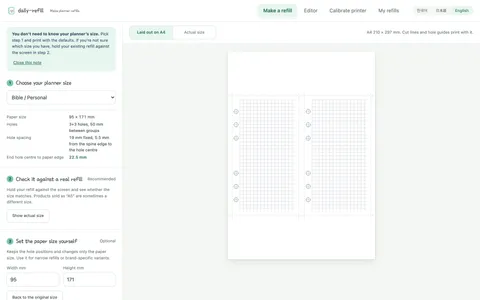
- Quick start — pick a planner size and a page type and the PDF is ready. If you don’t know your size, hold a refill you already own up to the screen and check it matches
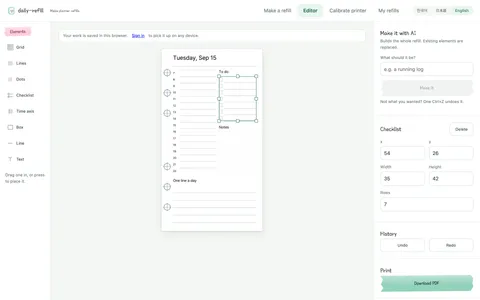
- Free canvas — place grids, lines, checklists and timelines wherever you want them. AI-drafted layouts are coming soon
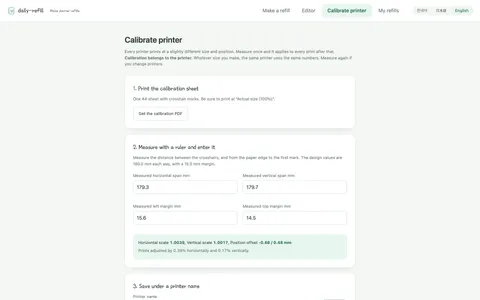
- Printer calibration — every printer shifts things by a few millimetres. Measure once and every print after that is corrected
- Sign-in is optional — you can make and print without an account; an account only matters when you want to continue on another device. There is no password — you sign in with an email link
Judgment calls
There was one success condition: do the millimetres hold on paper? Holes that are 1 mm off either won’t fit the rings or tear when punched. So the output core came first, before the editor or the AI.
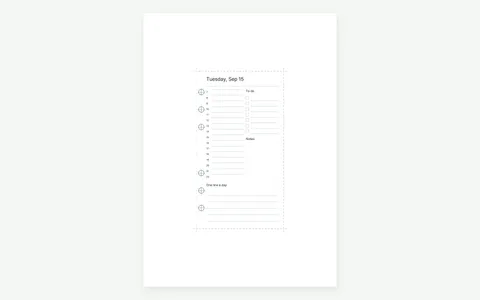
I didn’t use browser printing. Render to HTML and print, and the browser and OS decide margins and scale — and worst of all, the user’s print dialog overrides the printer calibration. Instead the spec is computed as a list of shapes in millimetres, and the same list is drawn by both the screen (SVG) and the output (PDF). When screen and paper come from different code, they drift.
Designed as a container for variance, not a spec table. Ring-binder planners have no industrial standard, so the same “A6” differs by seller. I measured real refills and moved the hole positions — at the original values the paper left beside each hole was 0.85 mm and tore — and left the paper size for the user to adjust.
Anything the mouse can do, the keyboard can do. It’s the part canvas editors usually drop, so an end-to-end test checks that a whole refill can be built with the keyboard alone.